09 Persistent: Surviving Scene Loads
📍 Demo Info
-
Scene Preview
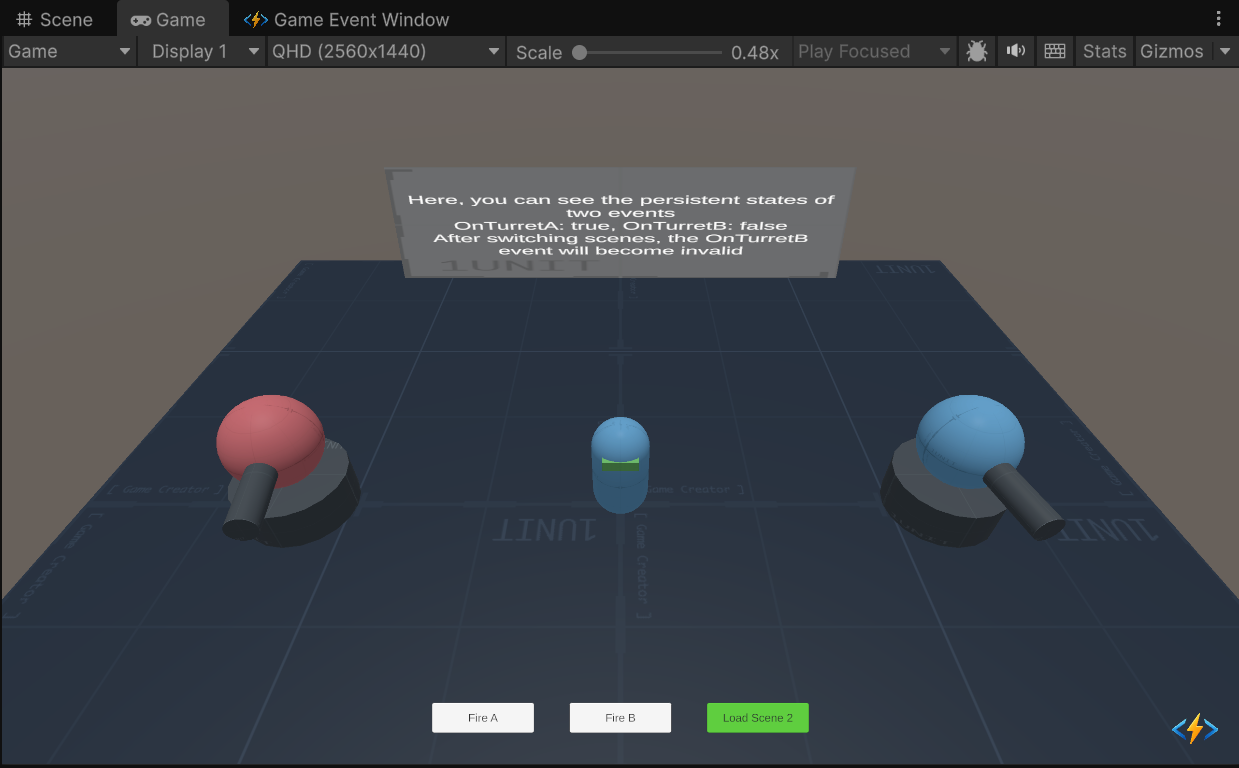
-
Scene Path
Assets/TinyGiants/GameEventSystem/Demo/09_PersistentEvent/09_PersistentEvent_1.unityGoalTo demonstrate Persistent Events. Normally, event listeners are cleared when a scene unloads. By checking the Persistent flag, you can make specific event bindings survive scene transitions, which is essential for global systems like Music, Inventory, or Achievements.
📝 Description
The Scene Transition Problem In Unity, when you load a new scene, all objects (and their event listeners) from the previous scene are destroyed.
- Standard Event: Listeners are wiped. The connection is broken.
- Persistent Event: Listeners are stored in a global
PersistentManagerand remain active.
The Experiment We have two Turrets controlled by separate events:
- Turret A (Red): Driven by a Persistent Event.
- Turret B (Blue): Driven by a standard Non-Persistent Event.
We will fire them, reload the scene, and see who survives.
🛠️ Scene Setup
The architecture here is slightly more advanced to support scene reloading.
- Persistent Receiver: A Singleton object marked
DontDestroyOnLoad. It holds the logic for both turrets. - Scene Setup Script: Since the Receiver survives but the Turrets are destroyed/recreated, this script re-injects the new Turret references into the Receiver every time the scene loads.
- UI Controls:
- Fire A / Fire B: Triggers the respective events.
- Load Scene 2: Reloads the current scene (simulating a level change) to test persistence.
🎮 How to Test
- Enter Play Mode.
- Phase 1: Initial Test
- Click "Fire A". Turret A fires. (Success)
- Click "Fire B". Turret B fires. (Success)
- Phase 2: The Purge
- Click "Load Scene 2".
- Effect: The scene reloads. The old Turrets are destroyed. New Turrets are spawned. The
GameEventManagercleans up all standard listeners.
- Phase 3: Survival Test
- Click "Fire A".
- Result: Turret A fires! The link survived. ✅
- Click "Fire B".
- Result: Silence. Turret B does nothing. The link is dead. ❌
🔑 Key Configuration
1. Event Definition (Editor)
We use two identical Void events.

2. Persistence Toggle (Behavior)
This is the only configuration difference.
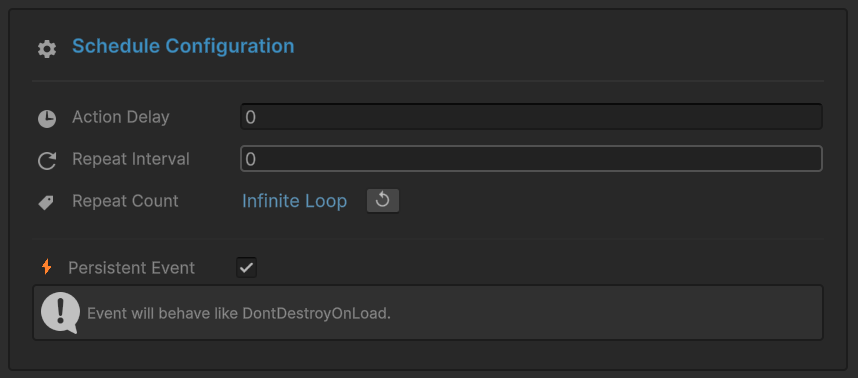
OnTurretA (Persistent):
- Open Behavior Window.
- Check [x] Persistent Event at the bottom.
- This tells the manager: "Never unsubscribe these listeners automatically."
OnTurretB (Standard):
- Uncheck [ ] Persistent Event.
- This tells the manager: "Clean me up when the scene unloads."
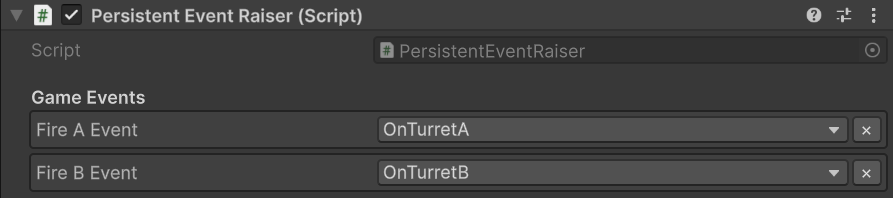
3. Raiser Assignment (Inspector)
The Raiser references both events.
💻 Code Walkthrough
1. The Global Receiver (PersistentEventReceiver.cs)
This script is a Singleton that survives scene loads.
public class PersistentEventReceiver : MonoBehaviour
{
    // Singleton Pattern to survive scene loads
    public static PersistentEventReceiver Instance;

    private void Awake()
    {
        if (Instance == null)
        {
            Instance = this;
            DontDestroyOnLoad(gameObject); // <--- Key to persistence
        }
        else Destroy(gameObject);
    }

    // Bound to 'OnTurretA' (Persistent)
    // This method will still be called after scene load.
    public void OnFireCommandA()
    {
        _isFiringA = true; // Starts the coroutine
    }

    // Bound to 'OnTurretB' (Standard)
    // This binding is LOST after scene load because the event wasn't marked Persistent.
    public void OnFireCommandB()
    {
        _isFiringB = true;
    }
}